|
Hang on to your paint brushes because there's a new form of art in town! Yeah that's right. It's ASCII Art! Otherwise known as text art or drawing pictures with notepad! ASCII art, unmatched in its beauty, simplicity, and uniqueness to use the common keyboard characters to graphically draw a picture, amazes every computer user! If you don't know what I mean, take a look at what I did in a few minutes!! 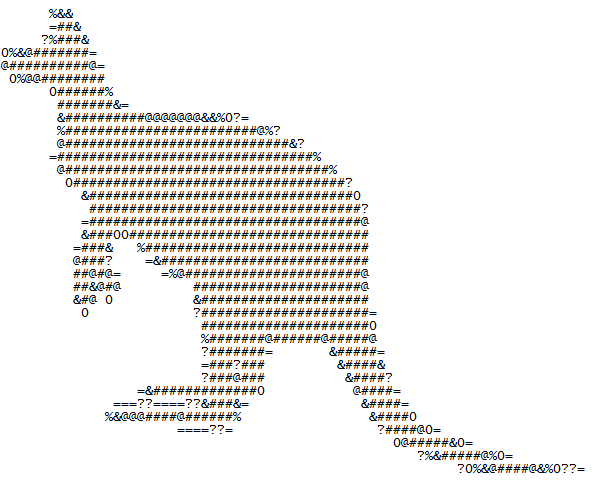 How did I do it? Fine. I admit that I didn't completely make this piece of art by myself, but I did get some help from a very useful piece of software. ASCII Artist! ASCII Artist simply takes a picture and spits out an amazing text artwork. To get started:
Download ASCII Artist now! 
Ever had a long link such as: http://www.somesite.com/somefolder/somesubfolder/somepage.html?
Have trouble remembering it? Have trouble sharing it with your absent minded friends? Just can’t be bothered to re-visit again without bookmarking it? Hmm, seems like there is a lot of lazy people these day, but fortunately for you guys, today, we take a quick look at Url Shorteners. What is a Url Shortener? An URL shortener shortens your URL or link. For example, would it be nice if we shortened: http://www.somesite.com/somefolder/somesubfolder/somesubsubfolder/somepage.html To: www.tinyurl.com/somesite? That way, you just need to remember the URL Shortener tinyurl and the custom name you five it, somesite, so that when you visit www.tinyurl.com/somesite, it takes you to the long and bothersome website: http://www.somesite.com/somefolder/somesubfolder/somesubsubfolder/somepage.html. Neat huh? How do I make a TinyUrl? URL Shorteners like TinyUrl can be used to shorten long links by these steps: 1. Go to TinyUrl 2. Enter your long url 3. (Optional). Give it a custom name (ie, somesite) 3. Click ‘Create TinyUrl’ 4. Wait a few seconds and success! Now you can copy and share your URL Now What? Now that you are done with making your short link, you can share it with your friends on facebook, myspace, and so forth without clouding their feed with long and bothersome links. For example, i can now email my friend saying: “Hey man, check out my blog! http://tinyurl.com/my12345blog“ The advantages of shortened urls are that they are easy to remember and extremely short compared to original urls. More Services of TinyUrl TinyUrl isn’t the only url shortener out there, there is also: 1. Tiny.cc Tiny.cc is similar to TinyUrl, both shorten links and allow custom names. The only difference is that tiny.cc is shorter. You can check out tiny.cc here. 2. Goo.gl Goo.gl is another popular URL Shortener service. Being provided by Google, goo.gl is similar to tiny.cc and tinyurl.com, with the exception that it does not allow custom names. 3. Bit.ly Bit.ly was a popular url shortener until TinyUrl and Tiny.cc gained popularity. Bit.ly allows users to sign up, something TinyUrl does not offer, and track the visitors to their link. Bit.ly, however, does not offer custom url names. 4. Ow.ly Even though it is not as popular as the above services, ow.ly is another great URL shortening service that does the same function as the rest. Ow.ly does not offer custom names, and requires an annoying captcha code, but overall is worth checking out. 5. Adf.lyAdf.ly Adfly gives users the ability to shorten their long url and also earn about 1 cent each time someone visits your URL. If you have a popular internet blog that receive a lot of visitors, adding an URL shortened with adf.ly can earn you some revenue! It's normal to be tired of staring at your Windows shutdown screen for minutes everyday or even worse: doubting that your computer is ever going to shutdown. After using our computer, some of us have an unlucky computer that just takes a long time to shutdown, but what if I told you there was a faster way?
Yes that's right. What if there is a way to shutdown your computer in less than a second? Sounds crazy right? Today, at XetoWare, we have released a free software than you can download and install within seconds and intuitively, it's called 'Fast Shutdown'! Fast Shutdown allows you to:
Download Fast Shutdown and stop spending your waiting for your machine to shutdown. |
 RSS Feed